Facebook Offline Activity: The feature behind Facebooks accurate user-experience
Ever been stunned by the accuracy of the adverts you see on social media? For example, you’ve been looking for post-pandemic staycation deals, then all of a sudden, you open social media and there are a variety of offers and options for you to choose from? There is in fact, an explanation for why and how this is happening.
It’s clear that over the recent years, there have been more algorithms and developments when it comes to tailoring adverts for user-experience. Here’s how it works: Facebook Business Manager allows companies to share information about your activity on their site. When you spend time shopping or browsing the web, these sites will share any non-confidential information about you to Facebook, such as the products you brought or the number of times you visited specific pages. But why would a business want to share their information with Facebook?
For businesses, especially smaller brands, this can be extremely beneficial as it will allow people who have once interacted with the business, to be reminded of that, when they browse Facebook. Once Facebook receives your information from a business, they save it to your user profile and use this knowledge to tailor adverts to your interests. Here’s how Facebook explain it:
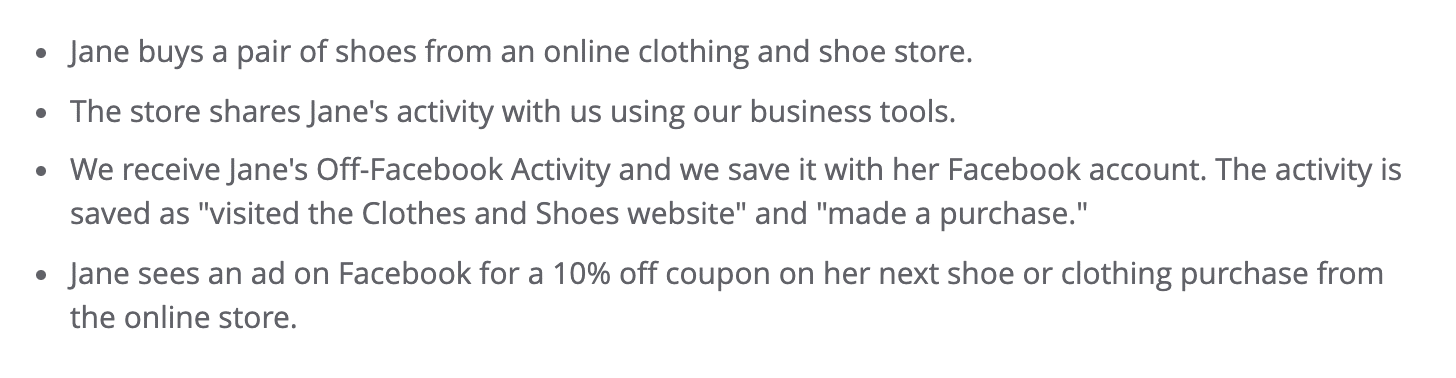
Now, understandably, many users might be uncomfortable with this feature, preferring that their online activities remain private. Facebook aims to be transparent and therefore, have an ‘Offline Activities’ portal where users can access all the information that Facebook has about them and even choose to turn off this feature entirely.
Here’s your step-by-step process of how to access this information and turn off your Facebook Offline Activity:
Step 1: Settings
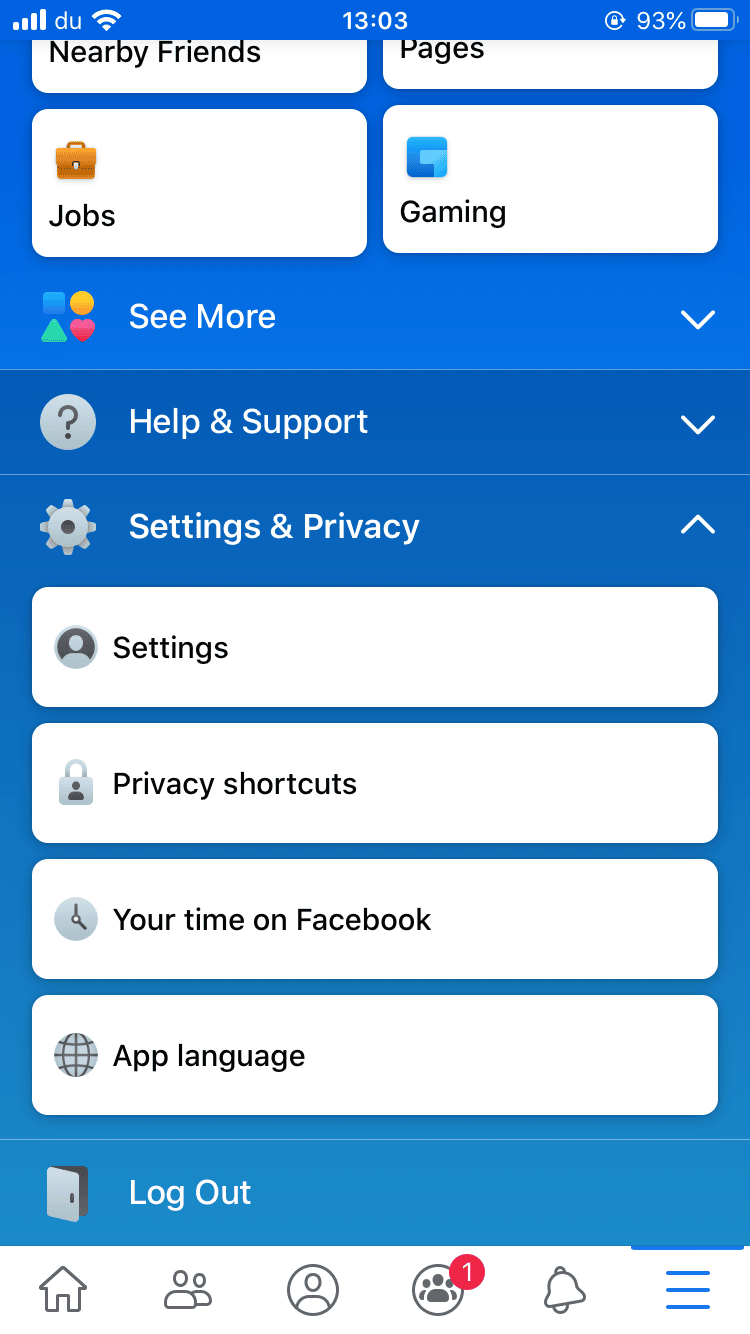
Open your Facebook app, click on the ‘settings and privacy’ panel in your menu. Then press the ‘settings’ button.
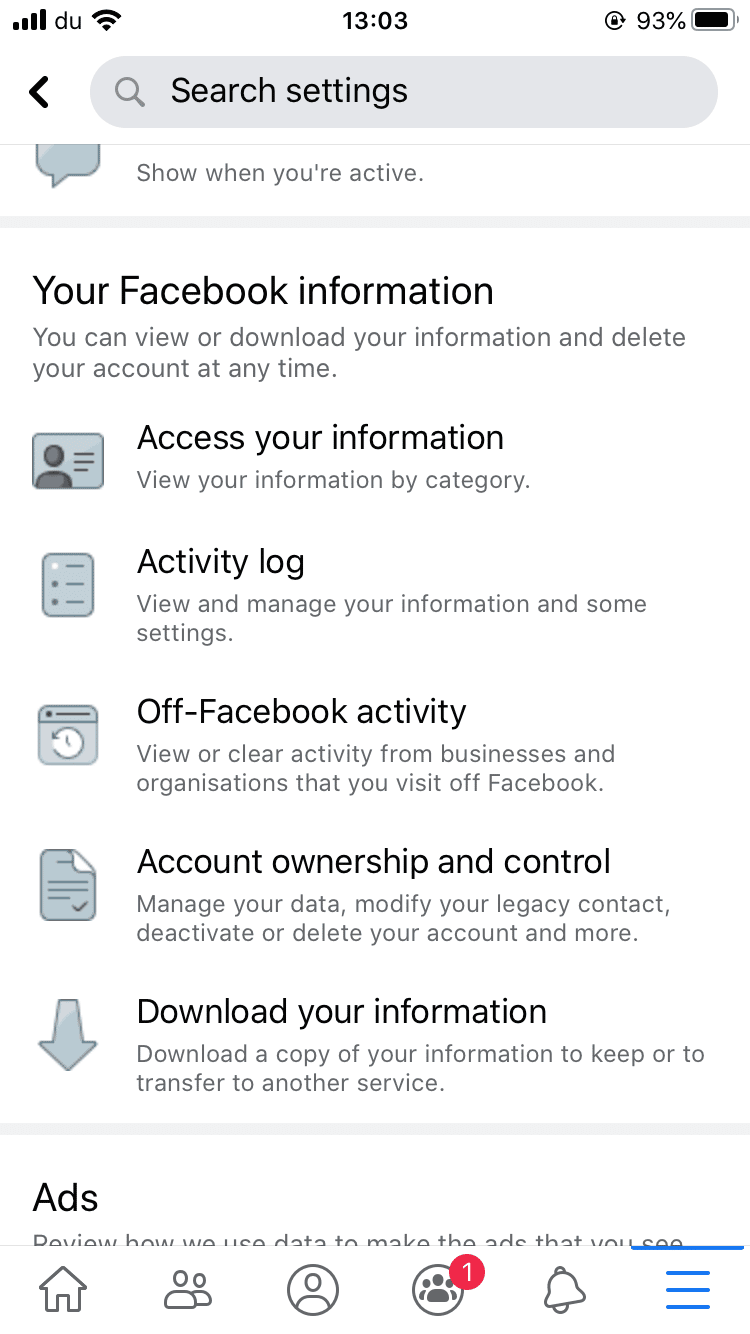
Step 2: Your Facebook Information
Scroll down and find ‘Your Facebook Information’ – Within this section, you should see ‘Off-Facebook Activity’, along with other information Facebook has about your activity.
Step 3: Off-Facebook Activity
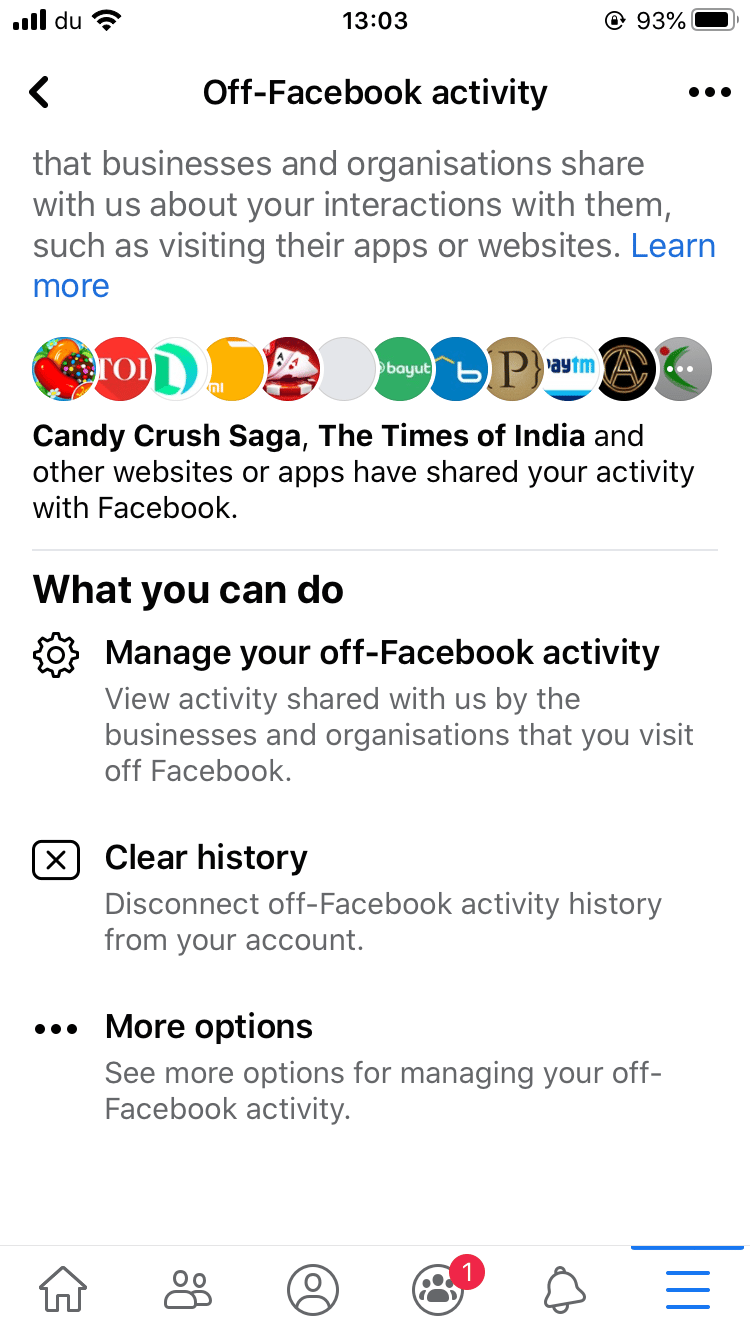
This is the main portal for Off-Facebook Activity, here you have the option to find all the information shared to Facebook by the brands you interact with.
Facebook is extremely transparent with the processes of each step, so take time to read the information they are providing.
Step 4: Managing Off-Facebook Activity
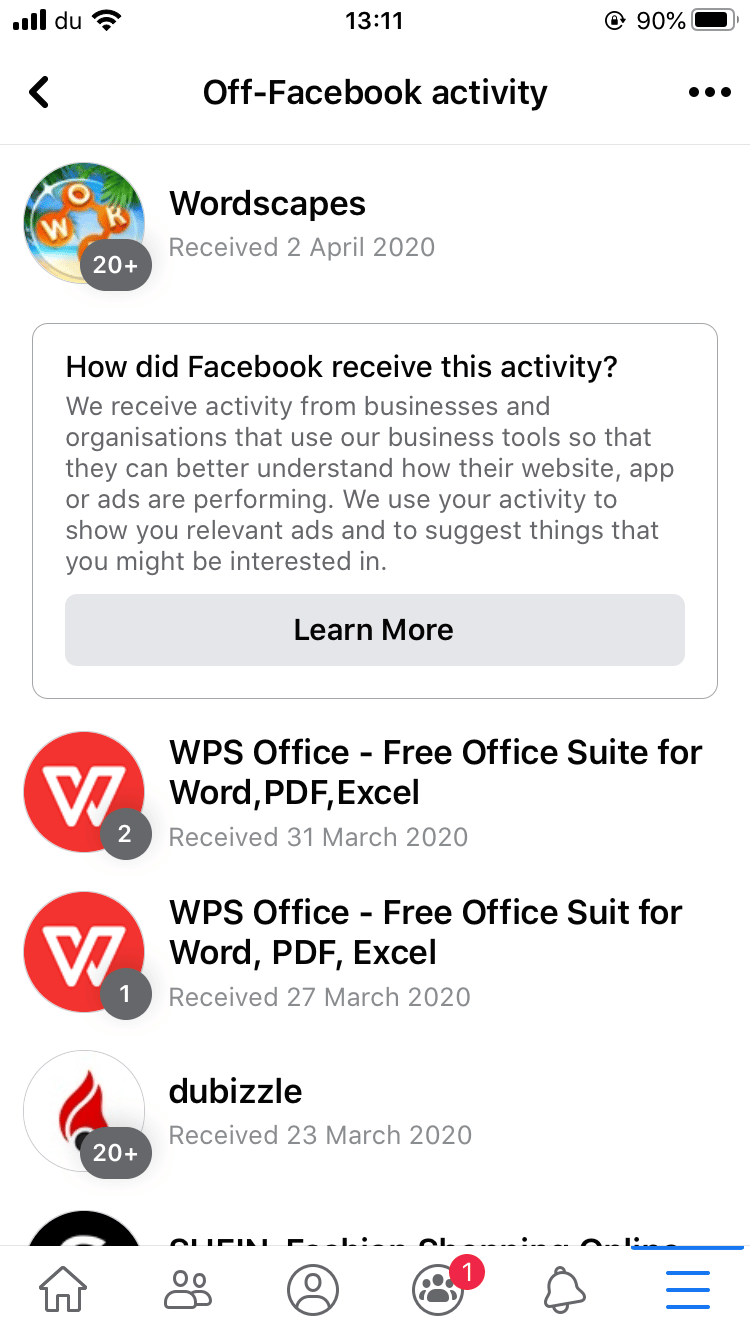
After pressing ‘manage your off-Facebook activity’ (you might be asked to re-enter your Facebook password), you will see the list of brands that are sharing your activity with Facebook. You can explore the interactions they have shared. You should also have the option to download this information.
Here you can stop specific brands from sharing your activity by pressing the brand name, scrolling to the bottom and selecting the option: “Turn off future activity from…”.
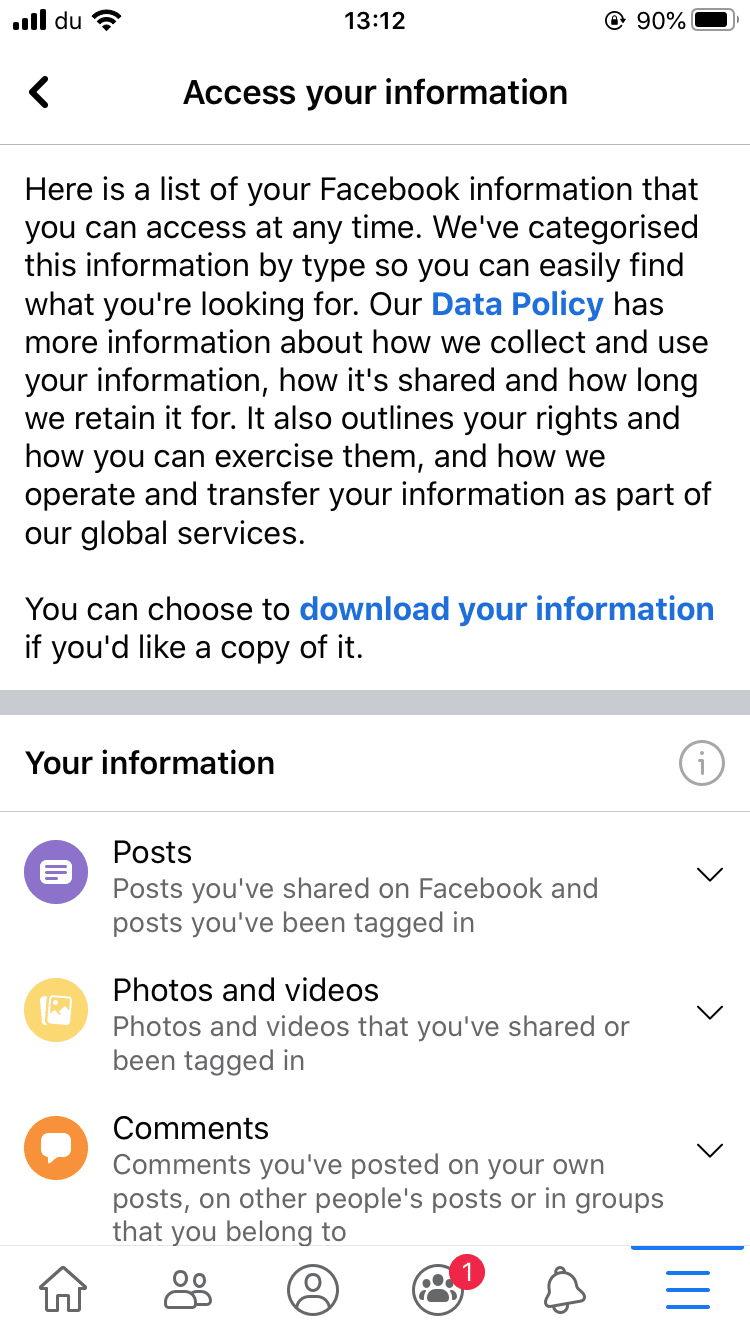
Step 5: Access Your Information
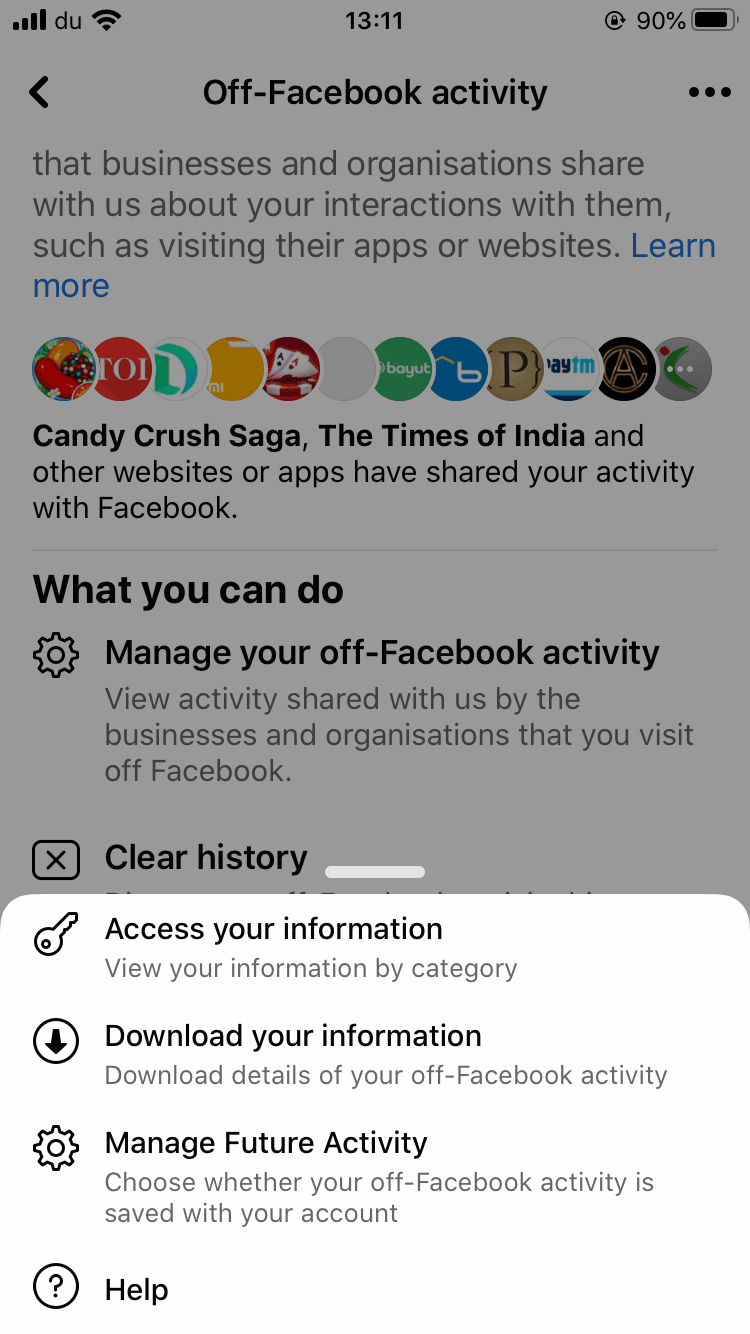
From the Off-Facebook Activity portal in Step 3, you can access even more information by selecting ‘more options’, followed by ‘access your information’. This will show your information by category. You can access everything that Facebook knows about you and even download this information if you choose to.
Step 6: Manage Future Activity
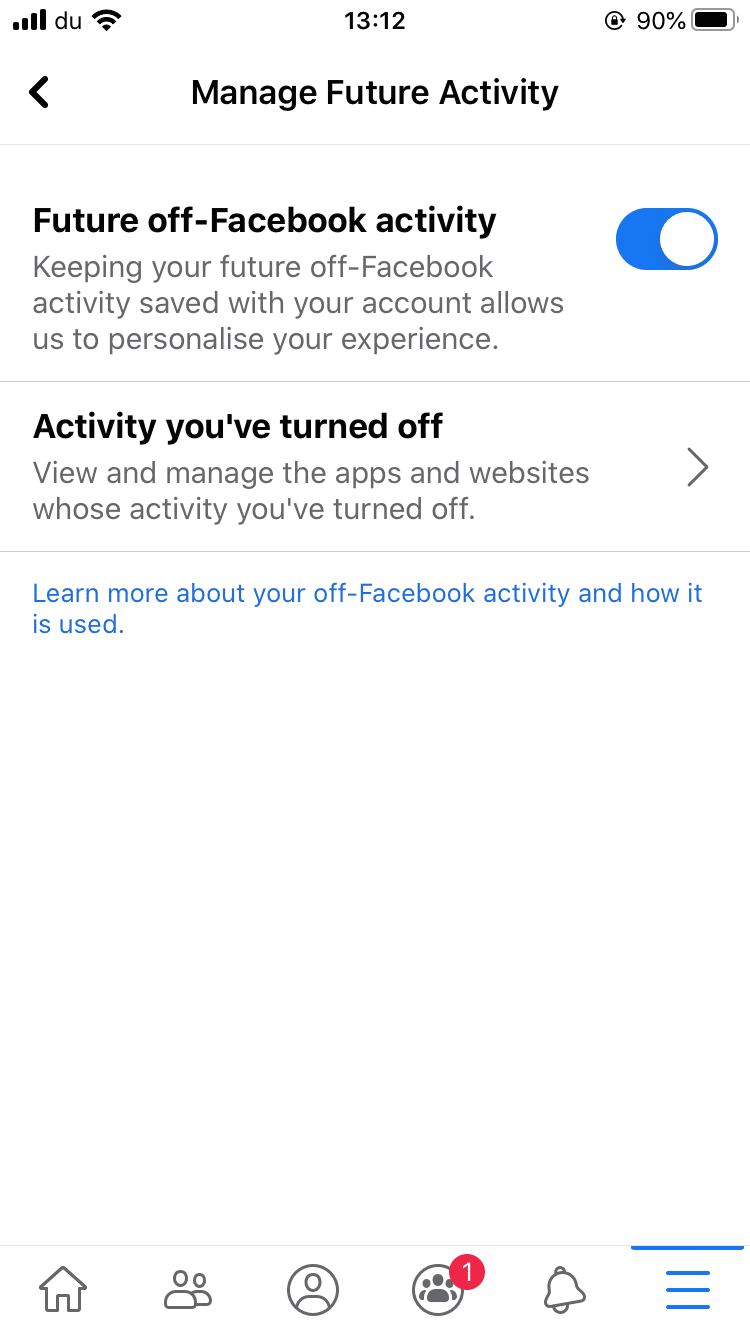
To manage your future settings on this subject, go back to the screen from Step 3, click ‘more options’ and then ‘manage future activity’. Once here you have another option to view exactly how Facebook uses the information that they receive to create a personalised experience for you.
Step 7: Turning off Future activity
After reading the information, press ‘manage future activity’ once more and you will see the ‘Future off-Facebook activity’ button. You can slide this to the off position, then Facebook will give you details of this process and give you the final option to press ‘turn off’.